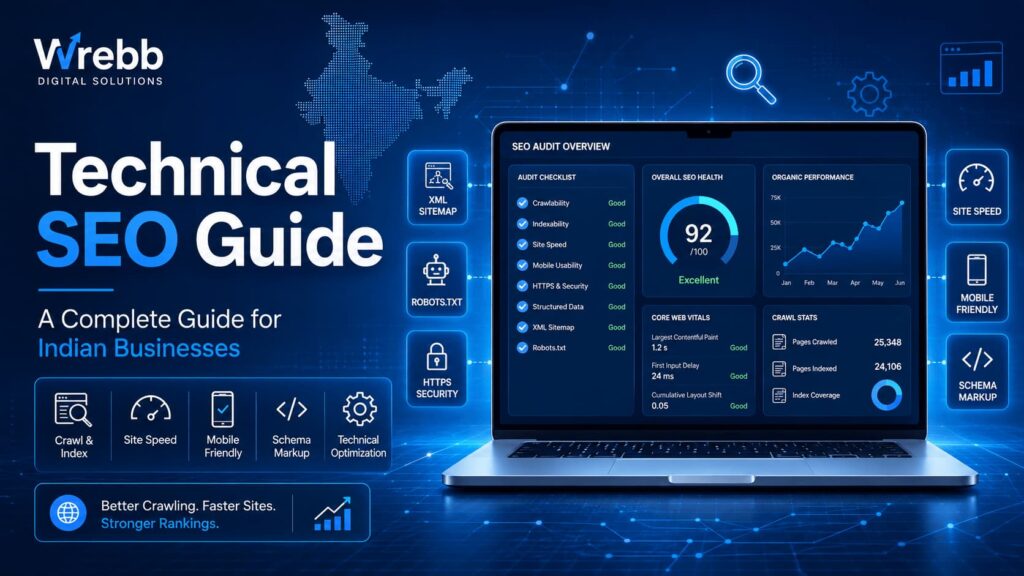
Your content can be world-class. Your design can be beautiful. But if search engines can’t crawl, index, and understand your website – none of it matters. This is what technical SEO solves. Here’s everything Indian businesses need to know.
Table of Contents
ToggleWhat is technical SEO?
Technical SEO is the practice of optimizing your website’s underlying infrastructure so that search engines – primarily Google, but also Bing, and increasingly AI systems like ChatGPT and Perplexity – can efficiently crawl, index, render, and rank your pages.
Think of your website as a restaurant. On-page SEO is the menu – the content, the presentation. Off-page SEO is the reputation – reviews, word of mouth, press coverage. Technical SEO is the building itself: the entrance, the kitchen, the plumbing, the signage. No matter how good your food is, if customers can’t find the door or the kitchen is on fire, the restaurant fails.
Technical SEO has three primary objectives:
| Crawlability | Can Googlebot access and navigate every important page on your site without hitting dead ends? |
| Indexability | Are your pages being added to Google’s index and eligible to appear in search results? |
| Performance | Does your site load fast enough to satisfy both users and Google’s Core Web Vitals thresholds? |
| Understandability | Can search engines understand what your pages are about, who wrote them, and what entities they reference? |
Unlike on-page SEO (which focuses on content) or off-page SEO (which focuses on backlinks), technical SEO is almost entirely within your control. Most technical issues can be identified and fixed without writing a single word of new content.
Why technical SEO matters specifically for Indian businesses
| Statistic | What it means |
| 93% | of Indian internet users access the web on mobile devices |
| 2 sec | average page load time that keeps Indian mobile users engaged |
| 53% | of mobile users abandon a site that takes over 3 seconds to load |
| 700M+ | internet users in India – the world’s second largest online market |
Indian businesses face a unique set of technical SEO challenges that simply don’t apply in the same way to Western markets:
1. The speed problem is more severe in India
Most Indian SMBs host their websites on US-based shared hosting servers (GoDaddy US, Bluehost US). The physical distance between a server in Virginia and a user in Mumbai adds 150-250ms of latency to every single page request. For a user already on a 4G connection with variable signal, this is the difference between a site that loads and one that doesn’t.
💡 Quick win for Indian sites
Migrate to a hosting provider with data centres in India or Singapore – options include AWS ap-south-1 (Mumbai), Google Cloud asia-south1, or Hostinger India. This alone can reduce TTFB (Time To First Byte) by 40-60%.
2. Mobile-first is not optional – it is everything
Google switched to mobile-first indexing globally in 2023, meaning it crawls and ranks the mobile version of your site first. In India, where over 93% of web traffic comes from smartphones, this is doubly critical. A site that looks great on a desktop but is broken or slow on a ₹8,000 Redmi phone is not a functional website for most of your potential customers.
3. Duplicate content from regional variations
Many Indian businesses create multiple city-specific pages (Mumbai, Pune, Bangalore) with near-identical content. Without proper canonical tags and unique page content, Google sees these as duplicate pages and may suppress all of them in rankings.
4. AI search adds a new technical layer
With the rise of Google AI Overviews, ChatGPT, and Perplexity, websites now need to be technically structured for machine comprehension– not just human readers. Schema markup, FAQ sections, and clear heading hierarchies are no longer optional extras; they are the infrastructure that gets your content cited by AI systems.
The 8 core technical SEO factors
Technical SEO covers a broad range of disciplines. Here are the eight factors that have the highest impact on rankings for Indian business websites:
| # | Factor | Impact | Difficulty |
| 1 | Core Web Vitals (LCP, CLS, INP) | Very High | Medium |
| 2 | Crawlability & robots.txt | Very High | Low |
| 3 | XML sitemap | High | Low |
| 4 | HTTPS / SSL | High | Low |
| 5 | Mobile-first indexing | Very High | Medium |
| 6 | Schema / structured data | High | Medium |
| 7 | URL structure & canonicals | Medium | Low |
| 8 | Internal linking architecture | Medium | Low |
Let’s explore the four highest-impact factors in detail.
Core Web Vitals explained
Core Web Vitals are Google’s official set of metrics for measuring real-world user experience. As of 2025, there are three metrics you must optimize:
LCP – Largest Contentful Paint
What it measures: How long it takes for the largest visible element (usually your hero image or headline) to fully load on screen.
Target: Under 2.5 seconds.
Common culprits in India: Uncompressed hero images, fonts loading from Google Fonts without preloading, unoptimized Elementor/Divi sliders, and server response time (TTFB) above 200ms.
Fix: Convert hero images to WebP format, add fetch priority=”high”to your hero image tag, preload critical fonts, and move to a faster hosting server.
CLS – Cumulative Layout Shift
What it measures: How much the visible content shifts around while the page loads – the frustrating experience of clicking a button only to have an ad appear above it and send your click somewhere else.
Target: Below 0.1.
Common culprits: Images without declared width/height dimensions, ads that load late and push content down, web fonts that cause text to reflow.
Fix: Always declare width and height on every image. Use CSS font-display: swap with a closely matched fallback font.
INP – Interaction to Next Paint
What it measures: How quickly your page responds when a user interacts with it (taps a menu, clicks a button). INP replaced FID (First Input Delay) as a Core Web Vital in March 2024.
Target: Under 200 milliseconds.
Common culprits:Heavy JavaScript executing on the main thread, Elementor’s large JS bundle, third-party scripts (chat widgets, tag managers, analytics).
Fix:Defer all non-critical JavaScript, use a tag manager to control third-party script loading, and audit your plugin stack – every plugin you install adds JS.
⚠️ WordPress + Elementor warning
Elementor is the most popular WordPress page builder in India – and it’s one of the biggest sources of Core Web Vitals failures. Elementor’s JavaScript bundle alone can add 300-500ms to INP. If you’re using Elementor, you must enable Elementor’s own “Optimized DOM Output” feature and pair it with a caching plugin like WP Rocket or Perfmatters. Without this, passing Core Web Vitals is very difficult.
Crawl errors: how to find and fix them
A crawl error occurs when Googlebot tries to access a page on your site and fails. These errors directly reduce the number of your pages that get indexed – and therefore the number of pages that can rank.
Types of crawl errors
| Error | Meaning | Fix |
| 404 Not Found | Page doesn’t exist (deleted or moved) | 301 redirect to relevant live page |
| 500 Server Error | Server crashed while loading the page | Fix server/plugin causing crash; check hosting logs |
| Blocked by robots.txt | You’ve accidentally told Google not to crawl the page | Check robots.txt; remove the Disallow rule for that URL |
| Noindex tag | Page exists but is tagged “don’t index this” | Remove the noindex meta tag or Yoast toggle |
| Soft 404 | Page returns 200 OK but is nearly empty | Add content or proper 301/404 response |
| Redirect loop | Page A → Page B → Page A (never resolves) | Map redirect chains and break the loop |
How to find crawl errors in 5 minutes
Open Google Search Console → go to Pages(left sidebar) → scroll down to Why pages aren’t indexed. Google will list every indexing issue, categorised by error type. Click each category to see the affected URLs.
We regularly find that Indian WordPress sites accidentally block their entire site via Settings → Reading → “Discourage search engines from indexing this site” – a checkbox that was left ticked after development. Open Google Search Console and check your Coverage report today. This single setting can de-index your entire website.
301 vs 302 redirects – which should you use?
A 301 redirect is permanent – it tells Google “this page has permanently moved here, pass all the SEO authority to the new URL.” A 302 redirectis temporary – Google keeps the original URL in its index and does not pass link equity. For SEO purposes, use 301s almost exclusively. The only legitimate use of a 302 is during A/B testing or temporary maintenance.
Site speed optimisation for Indian audiences
Page speed is both a direct Google ranking factor (via Core Web Vitals) and a massive indirect one – slow pages get higher bounce rates, which signal to Google that users aren’t satisfied with your content.
The biggest site speed wins for Indian WordPress sites
| Item | Description |
| Image compression | Convert all images to WebP. Use lazy loading for below-the-fold images. A single uncompressed hero image can add 2+ seconds to LCP. |
| Caching | Install WP Rocket or W3 Total Cache. Page caching serves pre-built HTML to repeat visitors, cutting server response time by 70-90%. |
| CDN | Use Cloudflare (free tier) to serve static assets from edge nodes close to your Indian visitors. Reduces latency for users outside your server city. |
| Minify CSS/JS | Remove whitespace, comments, and unused code from CSS and JavaScript files. WP Rocket does this automatically. |
| Font optimization | Preload critical web fonts. Use font-display: swap . Limit font weights to what you actually use – each weight is a separate HTTP request. |
| Server upgrade | Move from shared hosting to a VPS or managed WordPress host (Kinsta, WPEngine, Cloudways) with Indian/Singapore servers. Often the single biggest speed improvement. |
How to measure your current speed
Run your URL through Google PageSpeed Insights and check both the mobile and desktop scores separately. In India, mobile score is the one that counts most. A score above 70 on mobile is good; above 85 is excellent. Below 50 is a significant ranking risk.
Check your TTFB in browser DevTools
- Open Chrome DevTools (F12)
2. Go to Network tab
3. Reload your page
4. Click the first request (your HTML file)
5. Look at “Waiting (TTFB)” in the Timing tabTarget: under 200ms for Indian users
Warning: 200–600ms
Critical: over 600ms
Schema markup and structured data
Schema markup is code you add to your pages that tells search engines – and AI systems – exactlywhat your content is about. It’s the difference between Google guessing what your FAQ section is (plain text) and Google knowing it’s a list of questions with answers it can display directly in search results.
Why this matters for AI searchGoogle AI Overviews, ChatGPT’s web browsing, and Perplexity all use structured data to confidently cite and attribute information. Pages with FAQPage and Organization schema are significantly more likely to be included in AI-generated summaries than pages without it.
The most important schema types for Indian business websites
| Schema type | Best for | Benefit |
| LocalBusiness | All service businesses with a location | Eligibility for local Knowledge Panel; better Google Maps integration |
| FAQPage | Any page with Q&A sections | FAQ rich results in Google; AI Overview appearances |
| Service | Service pages (SEO, web design etc.) | Clearer service understanding for Google; breadcrumb rich results |
| Article / BlogPosting | All blog posts | Author entity recognition; date freshness signals; top stories eligibility |
| BreadcrumbList | Multi-level sites | Breadcrumbs shown in search result snippets |
| Review / AggregateRating | Portfolio/testimonial pages | Star ratings in search results – massive CTR boost |
Adding FAQPage schema: a simple example
Paste this into the <head>of any page that has FAQ content (or add via Yoast SEO’s schema feature):
FAQPage JSON-LD – paste in <head> or via Yoast
<script type=”application/ld+json”>
{
“@context”: “https://schema.org”,
“@type”: “FAQPage”,
“mainEntity”: [
{
“@type”: “Question”,
“name”: “What is your question here?”,
“acceptedAnswer”: {
“@type”: “Answer”,
“text”: “Your answer goes here. Write in plain English.”
}
}
]
}
</script>
Use Schema.org’s validator or Google’s Rich Results Test to verify your markup is correctly implemented before publishing.
Mobile-first indexing: what you need to know
Since 2023, Google uses the mobileversion of every website as its primary basis for crawling, indexing, and ranking. If your mobile site has less content than your desktop site, Google only sees the reduced mobile content – even for desktop search results.
Mobile-first checklist
- Same content on mobile and desktop – don’t hide sections with CSS display: none on mobile. Google ignores hidden content.
- Tap targets at least 44×44px – buttons and links must be large enough to tap without zooming. Google penalises sites with too-small tap targets.
- No intrusive interstitials – full-screen pop-ups on mobile that cover content are a direct ranking penalty from Google.
- Viewport meta tag present – every page must have <meta name=”viewport” content=”width=device-width, initial-scale=1″> .
- Images served in correct size – don’t serve 2000px images to a 400px mobile screen. Use responsive images with srcset .
- No Flash or obsolete technology – Flash doesn’t work on any mobile browser and will cause pages to fail indexing.
Technical SEO checklist: 25 points for Indian businesses
Use this checklist to audit your website. Work through it top to bottom – the highest-impact items are listed first.
Critical – fix immediately
- Google Search Console set up and verified – if you haven’t done this, you’re flying blind. Free at search.google.com/search-console.
- No accidental noindex on important pages – check Settings → Reading in WordPress. Check Yoast’s “Search appearance” toggle on every key page.
- HTTPS enabled with valid SSL certificate – all pages should load on https://, not http://. No mixed content warnings.
- XML sitemap submitted to Google Search Console – helps Google discover all your pages, especially new ones.
- robots.txt not blocking important sections – visit yoursite.com/robots.txt and confirm no important directories are disallowed.
- No broken internal links (404s) – use Screaming Frog (free for up to 500 URLs) to crawl your site and find 404s.
- Core Web Vitals passing on mobile – check PageSpeed Insights. All three metrics (LCP, CLS, INP) should be in the green.
High priority – fix within 30 days
- Every page has a unique title tag – 50-60 characters, includes primary keyword, no duplicates across pages.
- Every page has a unique meta description – 140-155 characters, includes CTA or value hook.
- Correct heading hierarchy (H1 → H2 → H3) – one H1 per page. H2s for major sections. No skipped levels.
- All images have descriptive alt text – describes the image for screen readers and Google Image Search.
- Canonical tags on all pages – prevents duplicate content issues, especially for e-commerce category/filter pages.
- URL structure is clean and readable – /blog/technical-seo-guide/ not /page?id=1234&cat=5
- Redirect chains no longer than 1 hop – A → B → C → D should be consolidated to A → D.
- Page speed score above 65 on mobile – audit and resolve the top 3 Page Speed recommendations.
Important – fix within 90 days
- Loca lBusiness and Organization schema on homepage – essential for knowledge panel and AI search visibility.
- FAQ Page schema on all FAQ sections – immediate eligibility for AI Overviews and rich results.
- Article schema with author on all blog posts – builds author entity recognition and E-E-A-T signals.
- Images served in WebP format – WebP is 25-35% smaller than JPEG/PNG at equivalent quality.
- Lazy loading enabled for below-fold images – add loading=”lazy” to all images not in the hero/above fold.
- Fonts preloaded and font-display: swap set – prevents invisible text during font load (FOIT).
- Third-party scripts audited and deferred – every chat widget, analytics tag, and pixel adds load time.
- Hreflang tags if targeting multiple regions – if targeting India + international, use hreflang to specify the audience of each page.
- Internal linking structure reviewed – every important page should be reachable in 3 clicks from the homepage. Orphan pages (no internal links) may never be crawled.
- 404 page is custom and helpful – your 404 page should have navigation links so users (and bots) don’t get stuck.
- Log file analysis to identify crawl waste – advanced: check your server logs to see which pages Googlebot spends time crawling vs which pages you want it to crawl.
Tools for technical SEO audits
You don’t need expensive tools to do effective technical SEO. Here are the tools most used by Indian SEO professionals, from free to paid:
| Tool | Type | Use |
| Google Search Console | Free | The single most important tool. Shows crawl errors, indexing issues, Core Web Vitals, manual penalties, and search performance. Start here. |
| Google PageSpeed Insights | Free | Measures Core Web Vitals and provides specific, actionable recommendations to fix speed issues. Always test mobile. |
| Bing Webmaster Tools | Free | Free and often under-used. Provides crawl stats and a site audit tool that frequently catches issues Google Search Console misses. |
| Screaming Frog SEO Spider | Free / Paid | Crawls up to 500 URLs for free. Finds broken links, duplicate titles, missing meta descriptions, redirect chains, and much more. The industry standard audit tool. |
| Google Rich Results Test | Free | Tests whether your schema markup is valid and eligible for rich results (FAQ accordions, star ratings, breadcrumbs) in Google search. |
| Ahrefs Site Audit | Paid | The most comprehensive technical audit tool available. Crawls your entire site, assigns health scores, and tracks issues over time. Starting ~$99/month. |
| Semrush Site Audit | Paid | Excellent all-in-one option with technical audit, keyword tracking, and competitor analysis. Popular with Indian digital marketing agencies. |
| GTmetrix | Free | Tests page speed from multiple global locations including Mumbai. Useful for checking how your site actually loads for Indian users, not just from the US. |
Frequently asked questions
What is technical SEO in simple terms?
Technical SEO is the process of making your website easy for search engines to crawl, index, and understand. While on-page SEO improves your content and off-page SEO builds your reputation, technical SEO fixes the infrastructure – site speed, broken links, mobile-friendliness, and the code that tells search engines what your pages are about.
How long does technical SEO take to show results?
Most technical SEO fixes show measurable results within 4-12 weeks, depending on how frequently Google crawls your site. Critical fixes like resolving a noindex error or fixing crawl blocks can show impact within days of Google’s next crawl. Speed improvements affect user experience immediately and influence rankings over the following weeks.
What are the most important technical SEO factors in 2026?
In 2025, the highest-impact technical SEO factors are: Core Web Vitals (LCP, CLS, INP), mobile-first indexing readiness, HTTPS security, schema/structured data markup, crawlability and correct robots.txt configuration, and XML sitemaps. For Indian businesses specifically, server location (hosting in India or Singapore) is also a critical but often overlooked factor.
Do Indian websites have unique technical SEO challenges?
Yes. Indian sites often struggle with slow TTFB due to US-based hosting, very high mobile traffic (93%+) that demands mobile-first optimization, duplicate content from city-specific location pages, and the need for multilingual/hreflang support. The good news is that most of these are fixable within a single technical audit sprint.
What tools can I use for a technical SEO audit in India?
Start with free tools: Google Search Console (indexing and crawl errors), Google PageSpeed Insights (Core Web Vitals), Screaming Frog free tier (up to 500 URLs for broken links and duplicate content), and GTmetrix with a Mumbai test location. For comprehensive ongoing audits, Semrush and Ahrefs Site Audit are the most widely used paid options among Indian agencies.
Is technical SEO a one-time task?
No. Technical SEO requires ongoing maintenance. New pages, plugin updates, CMS upgrades, and new content can all introduce technical issues. Google’s ranking criteria also evolve – Core Web Vitals now include INP, which didn’t exist in 2022. We recommend a full technical audit every quarter and using Google Search Console’s alerts for ongoing monitoring.
Is your website technically holding you back?
Wrebb’s technical SEO audit covers all 25 points in this checklist – Core Web Vitals, crawl errors, schema markup, and everything in between. We work with Indian businesses of all sizes, from local clinics in Mumbai to e-commerce brands across India.
No commitment. We will identify your top 5 issues in our first conversation.